Table of Contents
Reset All
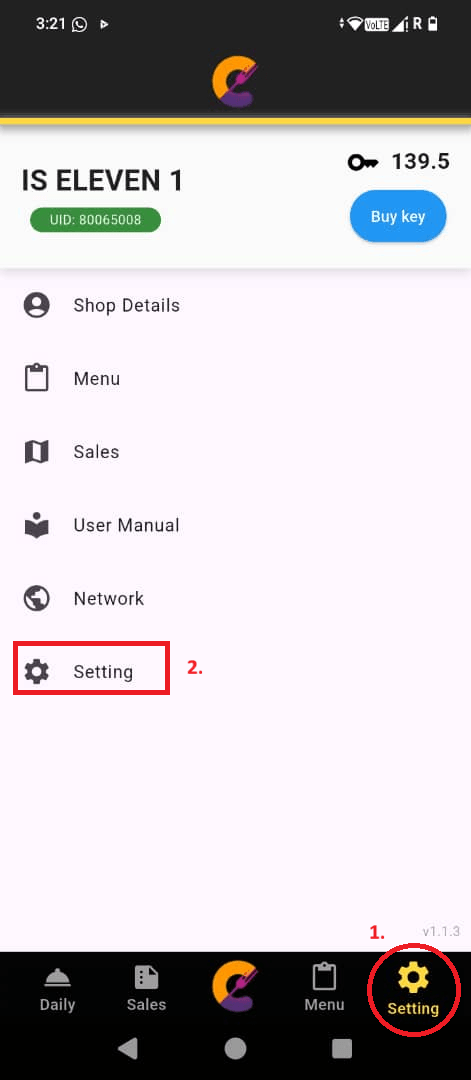
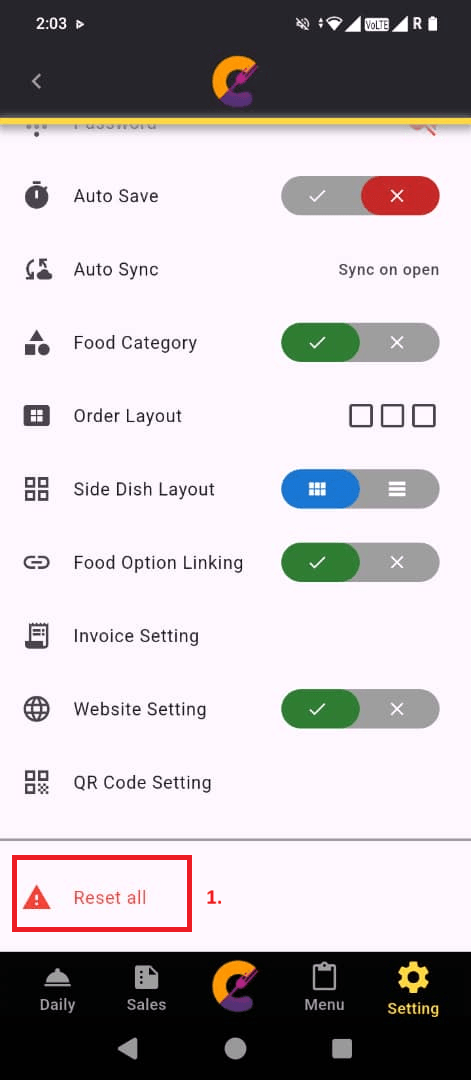
Step 1: Navigate to Setting > Setting > Reset All.
Step 2: Enter shop name and click Reset button to confirm reset the app setting.
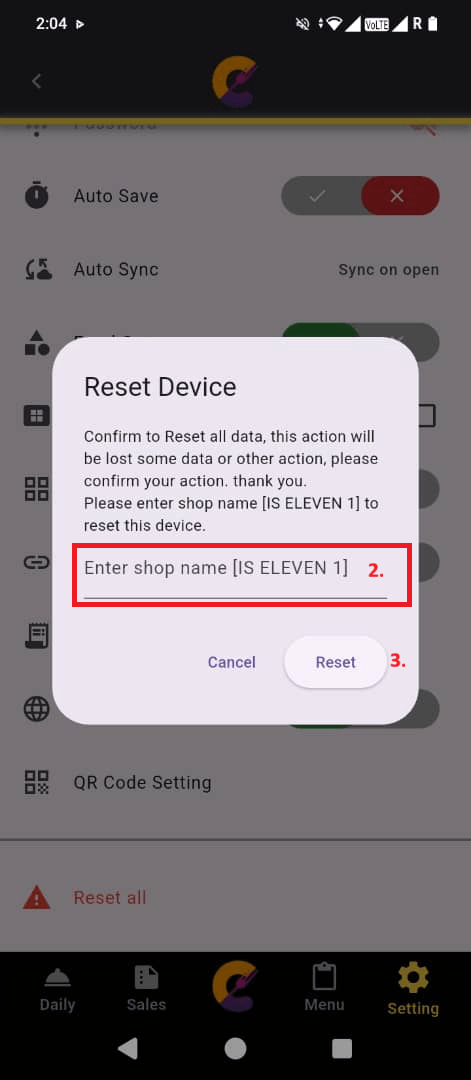
Important: The application settings will be reset to their default values. This action does not delete your sales or transaction data, but it will clear your configured settings, preferences, and other app configurations. Make sure you have backed up your settings or recorded any important configuration details before performing a reset.


