Table of Contents
Key Consumption
To use iEasyPOS, you will need keys to access the app and start taking orders. Keys expire at 11:59 PM each day.
- Tap the Launch button icon to start the application.
- Standard accounts: 1 key is consumed the first time the app is launched each day.
- Premium accounts: 1.5 keys are consumed the first time the app is launched each day.
- The total number of available keys is displayed at the top-right corner of the screen, showing how many keys remain.
- Once a key (or 1.5 keys for Premium accounts) is used for the day, you can continue using the app without consuming additional keys until 11:59 PM. A new key deduction will occur the next day when the app is launched again.

Purchasing Key
Step 1: Navigate to Settings > In the top right corner, click the “Buy Key” button to purchase additional keys.

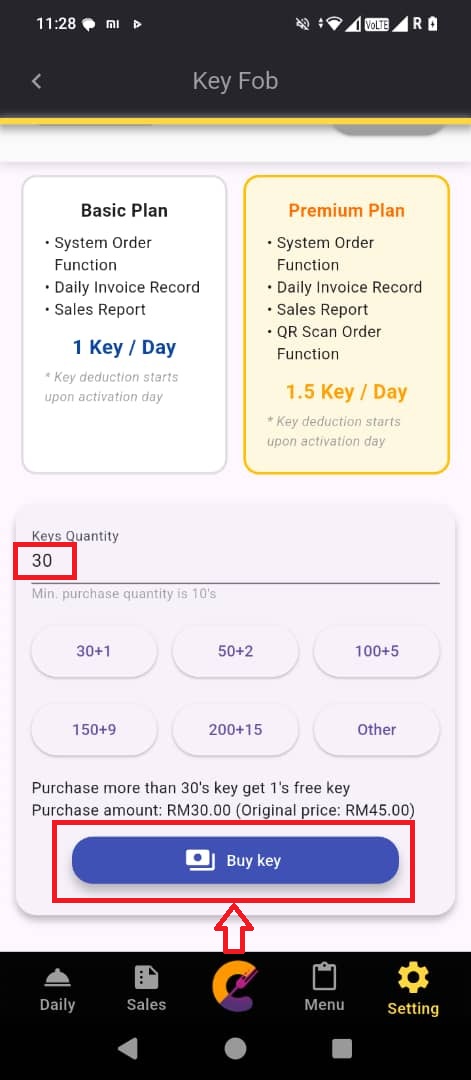
Step 2: Choose the quantity or manually insert the amount in the input field.
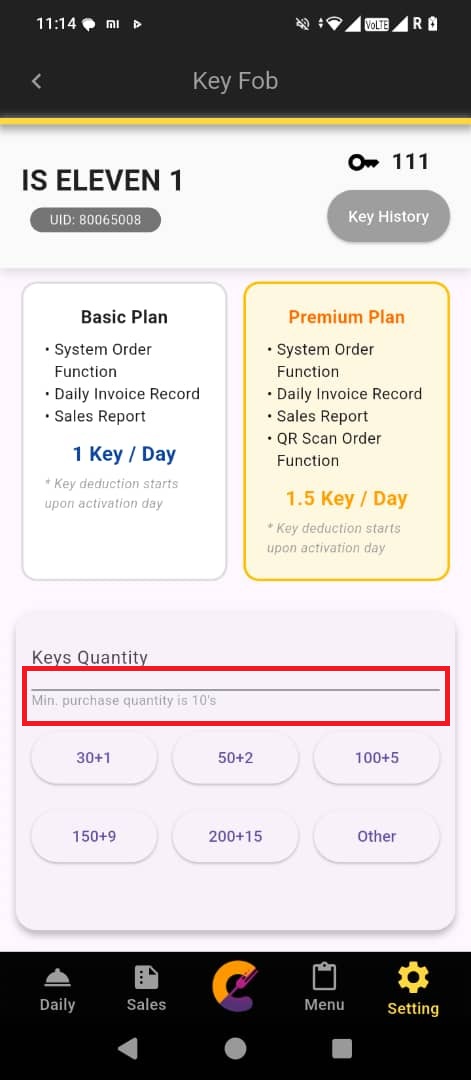
Step 3: After inputting the quantity, press the “Buy Key” button to purchase the keys.
*** Each device must purchase separate key, as the key is associated with the device (UID), not the email address.


